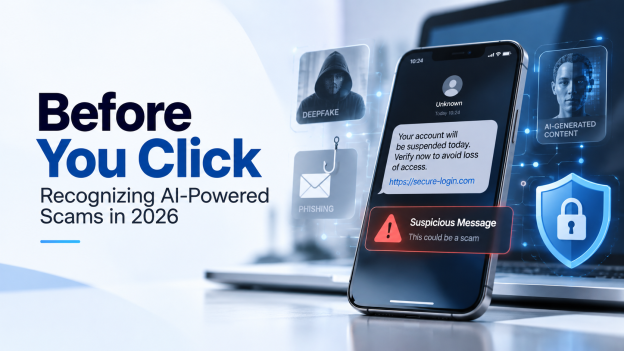
AI-powered scams are becoming more realistic. This simple guide explains how ordinary internet users can recognize suspicious messages, fake voices, deepfakes, phishing links and urgent online requests.
Artificial intelligence is changing many useful parts of everyday life, but it is also changing online scams. In 2026, many scams no longer look strange, badly written or easy to recognize. A fake message can now be well written, personal and convincing. A fake voice can sound like someone you know. A fake image or video can appear realistic enough to create confusion.
This does not mean that every message, video or online request should be treated with fear. But it does mean that ordinary internet users need a few simple habits before clicking, replying, paying or sharing personal information.
AI scams are often not completely new scams. In many cases, they are old scams made more convincing with better text, cloned voices, fake images, automated messages or deepfake videos.
What is an AI-powered scam?
An AI-powered scam is a fraud attempt that uses artificial intelligence to make the message or situation more believable.
For example, scammers may use AI to:
- write more natural phishing emails;
- imitate the tone of a company or public service;
- create fake customer support messages;
- generate realistic profile photos;
- clone a person’s voice;
- create fake images or videos;
- translate scams into better local language;
- personalize messages using public information from social media.
The goal is usually the same: to make the victim click a link, send money, reveal a password, share personal information or install something dangerous.
1. Be careful with urgent messages
Urgency is one of the most common signs of a scam.
A message may say:
- “Your account will be closed today.”
- “You must confirm your identity immediately.”
- “A payment is waiting for you.”
- “Your package is blocked.”
- “Your card has been suspended.”
- “Someone in your family needs money now.”
AI can make these messages sound more natural and less suspicious. The text may have no spelling mistakes. It may even look polite and professional.
The best reaction is simple: slow down.
If a message creates panic, pressure or urgency, do not click immediately. Open the official website or app yourself, using your browser or saved bookmark, instead of using the link in the message.
2. Do not trust a message only because it is well written
In the past, many scam messages were easier to detect because they contained strange language, grammar mistakes or unusual formatting.
This is no longer enough.
AI tools can create clean, fluent and convincing messages in many languages. A phishing email can now look like a normal email from a bank, delivery company, online shop, university, employer or administration.
A well-written message is not proof that it is safe.
Before clicking, check:
- who sent the message;
- whether the email address or phone number is normal;
- whether the link points to the real website;
- whether the request makes sense;
- whether the same information appears in your official account.
3. Be suspicious of unexpected links
Many online scams still depend on one action: clicking a link.
The link may appear in an email, SMS, WhatsApp message, social media message or fake advertisement. It may lead to a page that looks like a real login page, payment page or delivery tracking page.
Before clicking, ask yourself:
- Was I expecting this message?
- Does the sender usually contact me this way?
- Is the domain name correct?
- Does the link contain strange words, numbers or unusual extensions?
- Is the message asking for a password, bank details or personal information?
When in doubt, do not use the link. Go directly to the official website.
4. Voice messages can also be fake
AI voice cloning has made some scams more dangerous. A short audio sample may be enough to imitate a person’s voice.
A scammer may pretend to be:
- a family member;
- a friend;
- a colleague;
- a manager;
- a bank employee;
- a technical support agent.
The message may say there is an emergency and ask for money, gift cards, codes or confidential information.
If you receive a strange voice message or phone call asking for urgent action, verify it through another channel. Call the person back using a number you already know. Do not rely only on the incoming call or message.
A useful family habit is to agree on a private verification question or phrase for emergencies.
5. Be careful with fake videos and deepfakes
Deepfakes are images, videos or audio recordings created or modified by AI to make someone appear to say or do something they did not actually say or do.
Deepfakes can be used for entertainment, but they can also be used for fraud, misinformation, blackmail, identity theft or fake investment promotion.
A fake video may show:
- a public figure promoting a product;
- a celebrity recommending an investment;
- a fake expert giving advice;
- a fake company representative;
- a person appearing in a situation that never happened.
Do not trust a video only because it looks realistic. Check whether the same information appears on official websites, trusted news sources or verified accounts.
6. Be cautious with online investment offers
AI scams can also appear as investment opportunities. They may use fake testimonials, fake experts, fake trading dashboards, fake profit screenshots or deepfake videos of well-known people.
Be especially careful if the message promises:
- guaranteed profit;
- very high returns;
- “no risk” investment;
- secret methods;
- pressure to act quickly;
- payment in cryptocurrency;
- a private group with “exclusive” access.
Real investments always involve risk. A serious financial service should be registered, transparent and verifiable. If an offer sounds too good to be true, it probably deserves extra caution.
7. Fake customer support is common
Another common scam is fake support.
You may see a message such as:
- “Your account has been compromised.”
- “Contact support immediately.”
- “Download this security tool.”
- “Give us the code you received.”
- “We need remote access to your computer.”
Scammers may pretend to represent a bank, delivery service, online shop, social media platform, antivirus company or public administration.
Real support teams should not ask for your password, one-time security code or full banking details. Be especially careful if someone asks you to install remote access software.
8. Check the source before sharing
AI-generated fake content can spread quickly. A realistic image, screenshot, audio clip or short video can be shared thousands of times before people verify it.
Before sharing surprising or emotional content, check:
- Who published it first?
- Is it confirmed by reliable sources?
- Is the account verified or known?
- Are other trusted sources reporting the same thing?
- Could the image or video be AI-generated or taken out of context?
Not every fake message asks for money. Some scams aim to create confusion, anger, fear or manipulation.
9. Protect your personal information
AI scams often become more convincing when scammers have personal information.
Public information from social media, old websites, public profiles or data leaks can be used to create more personalized messages.
To reduce risk:
- limit unnecessary public personal details;
- avoid sharing documents or ID images online;
- use strong and unique passwords;
- enable two-factor authentication when possible;
- be careful with friend requests from unknown accounts;
- do not publish too much information about travel, family or finances.
The less public information scammers have, the harder it is to personalize a scam.
10. What to do if you are not sure
If a message seems suspicious, do not react immediately.
A simple safety checklist:
- Do not click the link.
- Do not download attachments.
- Do not send money.
- Do not share codes or passwords.
- Do not give remote access to your device.
- Check through the official website or app.
- Ask someone you trust before acting.
- Report the suspicious message when possible.
The most important rule is simple: pause before you click.
Conclusion
AI-powered scams are becoming more realistic, but many warning signs remain the same: urgency, pressure, unexpected links, requests for money, strange payment methods, fake support, and messages that try to create fear or excitement.
Artificial intelligence can make scams look more professional, but it cannot remove the need for careful verification.
For everyday internet users, the best protection is not panic. It is a combination of simple habits: slow down, check the source, avoid suspicious links, verify through another channel, and never share passwords or security codes.
Before you click, take a moment to ask:
Was I expecting this? Is this really from the right person or organization? Can I verify it another way?
That short pause can prevent many online scams.
خلاصه فارسی
کلاهبرداریهای اینترنتی با استفاده از هوش مصنوعی در سالهای اخیر واقعیتر و قانعکنندهتر شدهاند. در گذشته بسیاری از پیامهای جعلی بهدلیل غلطهای املایی، متنهای عجیب یا ظاهر غیرحرفهای قابل تشخیص بودند، اما امروز هوش مصنوعی میتواند پیامهایی کاملاً روان، طبیعی و حتی شخصیسازیشده تولید کند.
کلاهبرداران ممکن است از هوش مصنوعی برای نوشتن ایمیلهای فیشینگ، ساختن عکس و ویدئوی جعلی، تقلید صدا، ساختن پروفایلهای جعلی یا ایجاد پیامهای فوری و ترسآور استفاده کنند. هدف معمولاً این است که کاربر روی یک لینک کلیک کند، رمز عبور یا اطلاعات بانکی بدهد، پول منتقل کند یا یک فایل خطرناک را دانلود کند.
چند نشانه مهم خطر عبارتاند از:
- پیامهایی که عجله و اضطرار ایجاد میکنند؛
- لینکهایی که از طریق ایمیل، پیامک یا شبکههای اجتماعی فرستاده میشوند؛
- درخواست رمز عبور، کد امنیتی یا اطلاعات بانکی؛
- تماس یا پیام صوتی مشکوک از طرف فردی که ظاهراً آشناست؛
- پیشنهادهای سرمایهگذاری با سود زیاد و بدون ریسک؛
- پشتیبانی جعلی که از شما میخواهد نرمافزار نصب کنید یا دسترسی از راه دور بدهید؛
- ویدئوها یا صداهایی که ممکن است با هوش مصنوعی ساخته شده باشند.
اگر پیامی مشکوک بود، بهتر است عجله نکنید. روی لینک کلیک نکنید، فایل ناشناس دانلود نکنید، کد امنیتی یا رمز عبور ندهید و اگر کسی درخواست فوری پول کرد، از راه دیگری موضوع را بررسی کنید. مثلاً با شمارهای که از قبل میشناسید با آن شخص یا سازمان تماس بگیرید، نه با شماره یا لینکی که در همان پیام آمده است.
مهمترین اصل این است: قبل از کلیک کردن، چند لحظه مکث کنید.
همین مکث کوتاه میتواند جلوی بسیاری از کلاهبرداریهای اینترنتی را بگیرد.
Important note
This article is for general information only. It does not replace official cybersecurity advice. If you are affected by fraud or identity theft, contact the relevant official service in your country.
Sources / further reading
European Commission – AI Act transparency guidance
European financial authorities – Online fraud prevention advice
French public cybersecurity resources – Phishing and online scam awareness
Europol – Cybercrime and deepfake-related fraud risks